Dependency graph
Every import resolved and drawn, including @/ aliases, npm workspaces and Python packages. Zoom, search, follow.
A reader for code you didn’t write
Rubra Candela draws every file and every import as a graph you can zoom, search and follow — then explains any part of it in plain language, using a language model running on your own machine.
Your source code never touches a network.
Version 0.2.5 · Windows 10 and 11 · requires
Ollama
Unsigned build — Windows will say “unknown publisher”.
What that looks like
The actual application
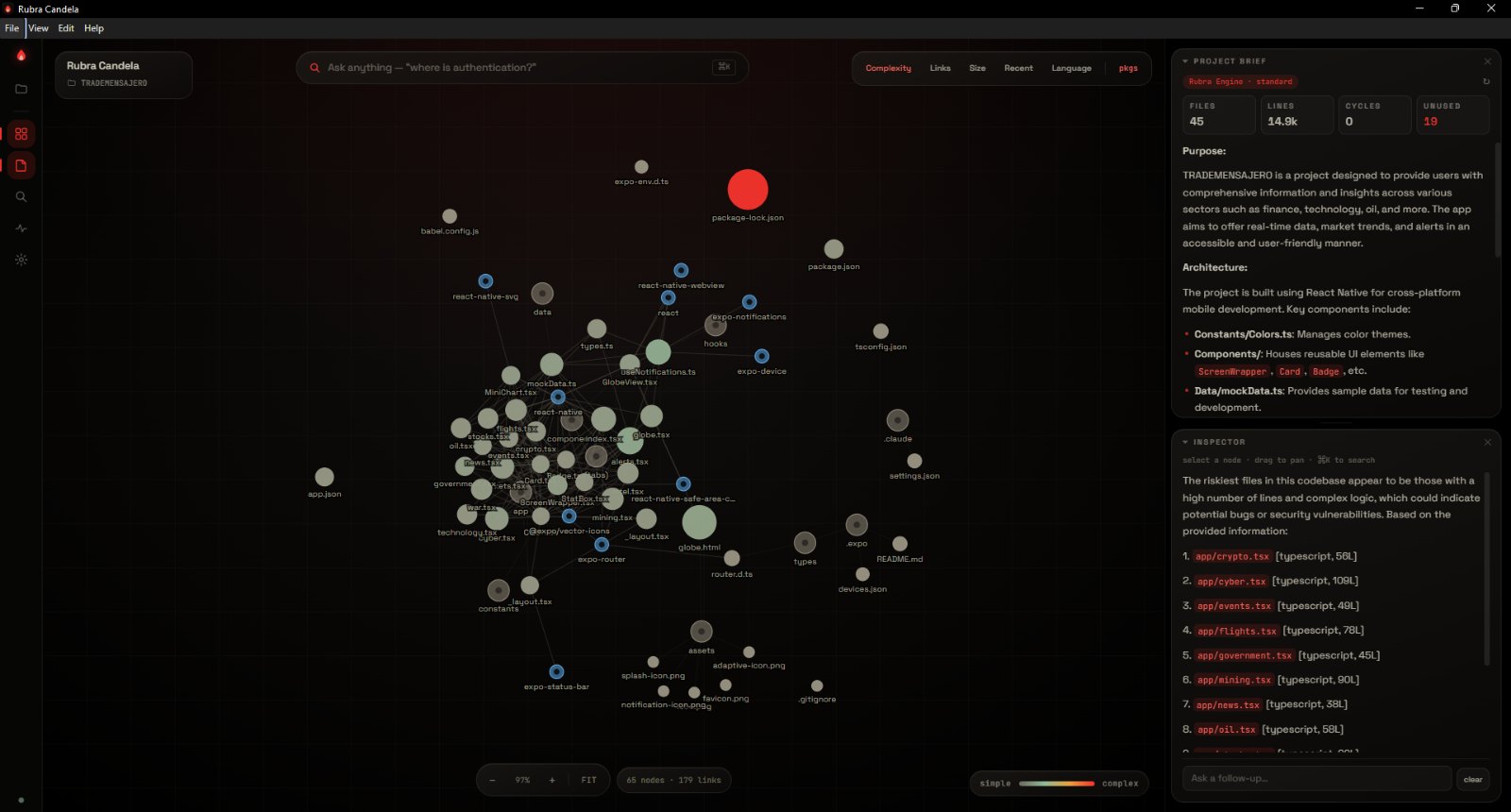
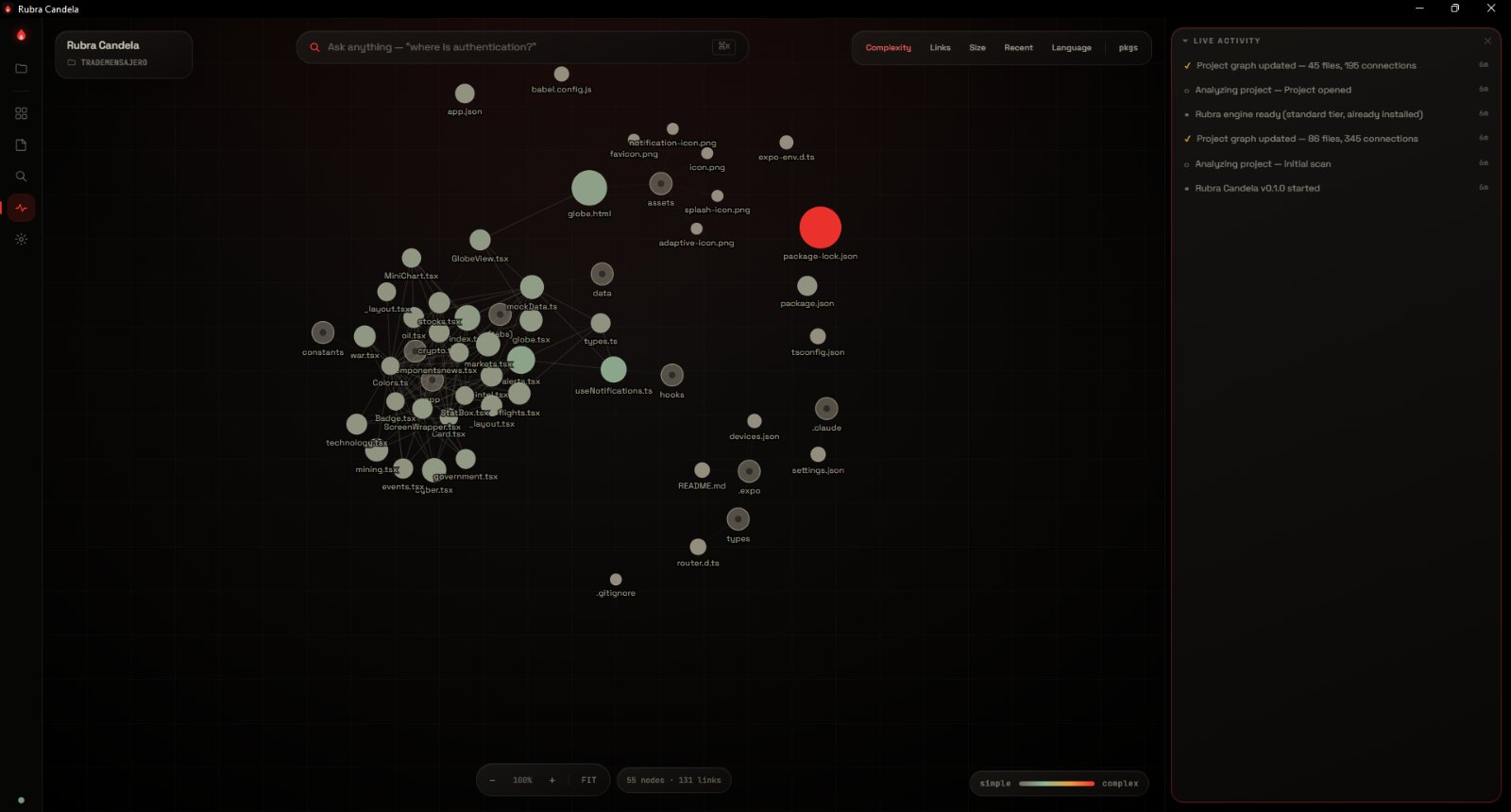
Every screenshot below is the shipping build reading a real React Native project it had never seen before — 45 files, 14.9 thousand lines.
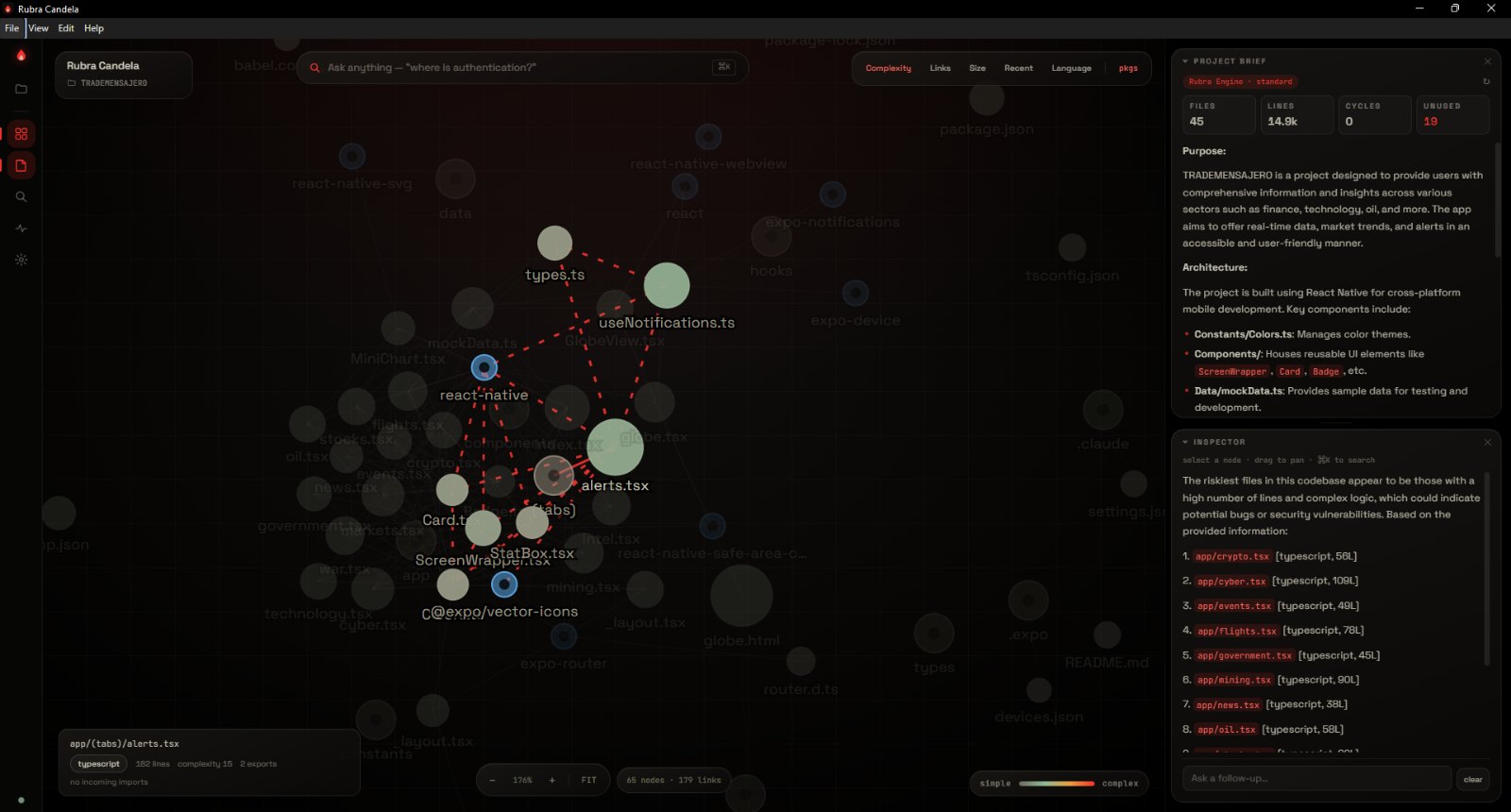
alerts.tsx is 182 lines, exports twice, and
nothing imports it back.
How it works
No repository URL, no upload, no account needed to analyse. Choose a directory and it parses every file it recognises — TypeScript, JavaScript, Python, and more — resolving imports the way your bundler does, including path aliases and workspaces.
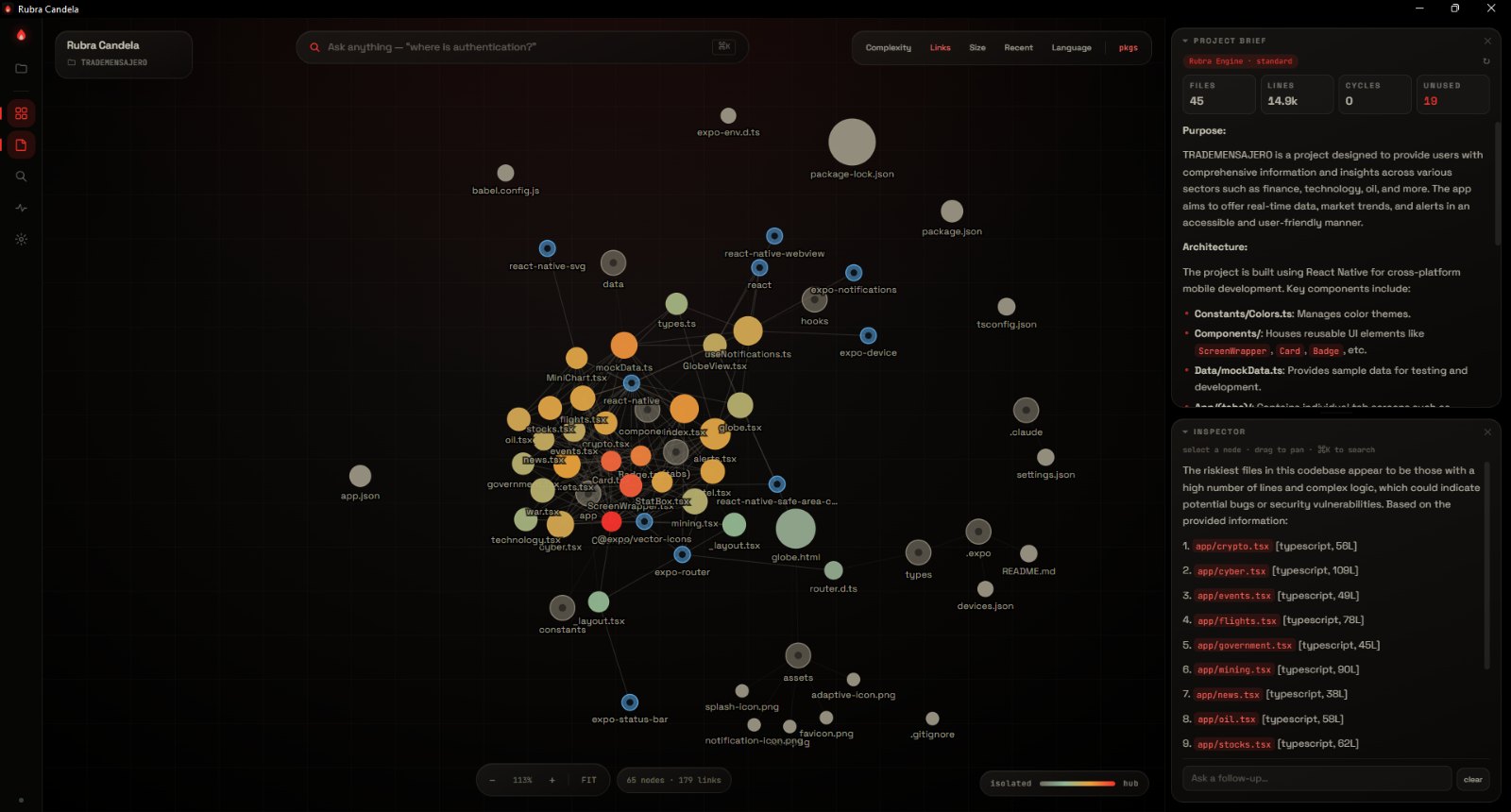
The graph is not decoration. Hubs are the files everything depends on. Isolated dots are files nothing imports — dead code, or an entry point. Thick clusters are where change is expensive. It is a shape you can take in at a glance, rather than one you have to assemble by opening files one at a time.
“Where does authentication happen?” “What breaks if I change this?” “Where are the security holes?” It reads the real code to answer and cites the files it used, so you can check its work.
The model
No API key. No account with an AI company. No subscription, no credits, and nothing charged per question. The reasoning engine runs on the machine in front of you, and every question you ask it stays there.
There is no token allowance, no daily quota and no meter running. Nobody is counting your questions, because there is nobody to count them — the only ceiling is the hardware you already own.
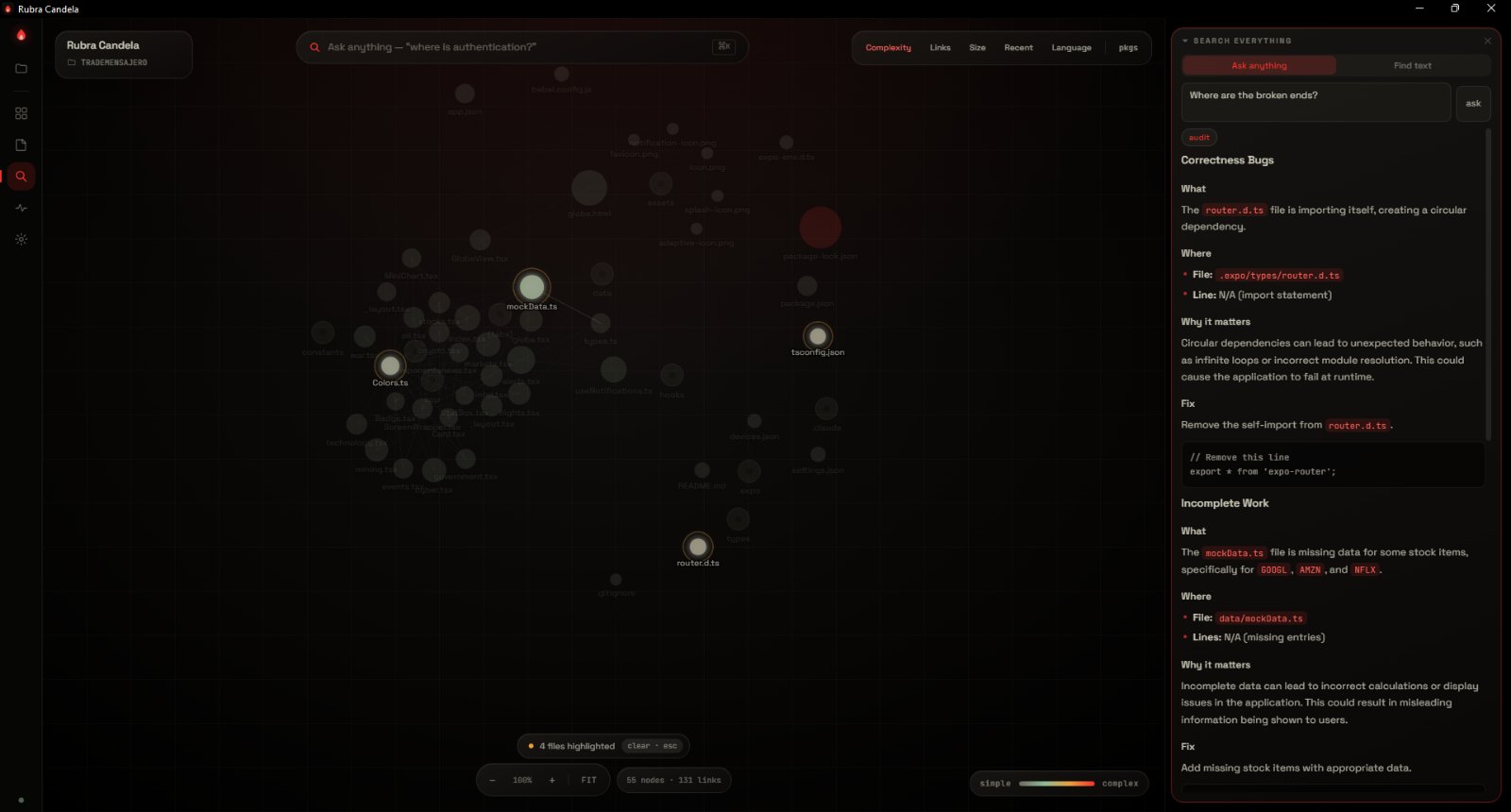
Three engine tiers — light, standard and advanced. It reads your GPU and picks one. The capture below is the standard tier on a card with 4.8 GB of memory.
It explains any file, answers questions about the project, and audits it for bugs and unfinished work — naming the files it read so you can check the answer rather than trust it.
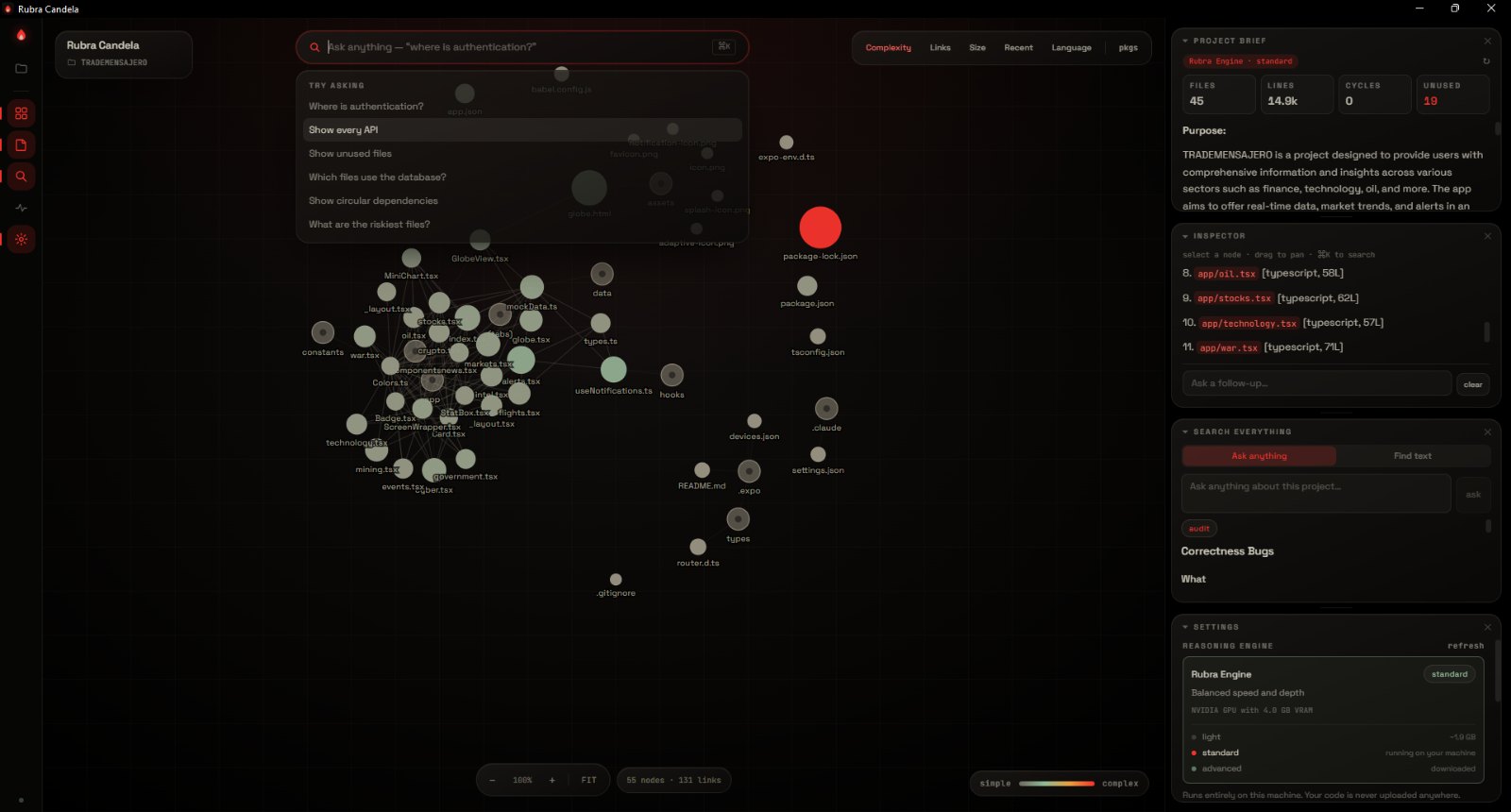
It reads and explains — it does not edit your code for you. And like every language model it can be wrong, which is the reason it cites its evidence instead of asking to be believed.
Where your code goes
Most tools that read your codebase send it to a server. Rubra Candela has no server to send it to: the model runs on your own machine, and your code never leaves it.
Once, when you create an account. The privacy policy lists all eight fields, with an example of each.
The privacy policy enumerates every network connection the application makes. There are four, and three are optional.
What you get
Every import resolved and drawn, including @/ aliases, npm workspaces and Python packages. Zoom, search, follow.
Any file, explained: what it is for, what it is responsible for, how it connects, and what is risky about it.
Ask for loopholes, broken ends or unfinished work. It reads the code and answers with evidence, not vibes.
Circular dependencies, unused files, oversized modules and the hotspots most likely to hide defects.
Which files churn, who touched them last, and where recent commits concentrated.
Edit a file in your editor and the graph updates. It watches the folder while you work.
Find a string anywhere in the project, then jump straight to it on the graph.
Read any file with syntax highlighting without leaving the app or losing your place.
Price
Free
No licence key, no seat count, no trial that expires. Analysis needs no account at all — you only sign up so we know how many people are using it. The app checks for new versions itself.
Download for WindowsVersion 0.2.5 · 95.7 MB · Windows 10 and 11
What people say
Rubra Candela is at version 0.2.5. When people have used it and told us what they think, their words will go here, with their names on them.
Your review here.
Your review here.
Your review here.
Used it? Tell us what worked and what did not — hello@rubracandela.com.
Requirements
Questions
No. The language model runs on your own machine through Ollama. There is no server to send code to. The privacy policy lists every network call the app makes.
Ollama is what runs the model locally. Bundling it would triple the download and fight with any copy you already have. It is free, installs in a minute, and Rubra Candela tells you if it is missing.
It means the build is not code-signed yet — a certificate costs several hundred dollars a year and is on the list. Click More info then Run anyway. The download page publishes the SHA-256 so you can check the file first, and explains what that does and does not prove.
TypeScript, JavaScript, JSX and TSX, Python, JSON, Vue and Svelte are parsed for imports and drawn on the graph. Other files still appear and can be read and explained.
Comfortably into the thousands of files. Very large repositories are truncated at a scan limit rather than freezing, and the app tells you when that happens.
Yes, at version 0.2.5. If that ever changes, it will be said plainly here rather than discovered by a licence check.
The application is built to run on both. Signed and notarised builds are not ready yet — email us and you will be told when they are.